
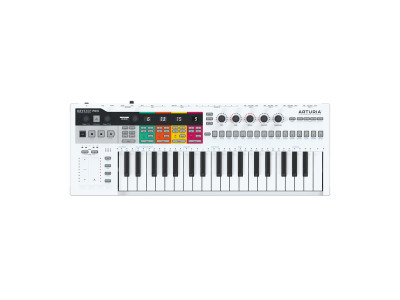
KeyStep Pro Chroma combines new aesthetic elements, including a sleek dark gray exterior, striking blue LEDs and other expressive features that allow users to customize their track colors. These additions are added to the already-impressive list of features of 2019’s KeyStep Pro, the polyphonic controller that remains a benchmark for creative hardware & software sequencing.
With the release of KeyStep Pro Chroma comes a significant new firmware update (2.5), delivering useful new features and long-awaited enhancements, free for existing KeyStep Pro users. The update is available to download via MIDI Control Center & arturia.com, with full release notes viewable on Arturia’s KeyStep Pro web page.
Introducing KeyStep Pro Chroma
The controller keyboard that changed the sequencing game, upgraded with a futuristic exterior and supercharged with unique creative functionality.
Sleek dark exterior
An alluring dark gray gives KeyStep Pro an edgy, industrial look.
Vibrant blue LEDs
In perfect contrast to the dark casing, bright blue LEDs illuminate your setup.
New stylish knob caps
Great-feeling knob caps all round to complement KeyStep Pro Chroma’s fresh design.
Customizable track colors
Exclusive for KeyStep Pro Chroma, users can now choose from a range of colors for their tracks.
Pre-order now
KeyStep Pro firmware 2.5
Alongside KeyStep Pro Chroma, Arturia have released a free firmware update for KeyStep Pro users, featuring much-requested additions and creative enhancements. Here’s what’s included:
Send Program Changes
Users can now send Program Changes per pattern and per MIDI track.
Transpose Latch
Configure KeyStep Pro’s Transpose button to toggle Transpose Mode on.
Quick-access track settings
Quickly change track-specific settings by pressing Shift & Track number.
Fixed Velocity
Determine a fixed velocity for pressed keys and triggered notes.



Write a comment